
The Only Business Laptops I’d Buy Today
As an Amazon Associate I earn from qualifying purchases. Some links may earn us a commission at no extra cost to you.
If you’re buying a work laptop, reliability, security, battery life, and service/warranty matter more than flashy specs. I focused on platforms with proven durability, manageability options, and comfortable keyboards/ports that make all-day work easier.
How I researched
I compared late-2025 deep-dive reviews and manufacturer spec sheets, prioritized durability (MIL-STD claims), battery life, weight, port selection, webcams, and warranty/support, and checked business-grade features like vPro/enterprise management where available. I verified model names against maker datasheets and then matched exact US variants on Amazon (no kits/refurbs/international). I weighed real-world performance, battery life, thermals/noise, and ownership experience.
Top picks
Lenovo ThinkPad X1 Carbon Gen 12 — Best for travelers/executives
A premium 14-inch that nails the business basics in a very light chassis.
Why it wins: proven build quality, excellent keyboard, and enterprise features in a travel-friendly package.

- With 32 GB of memory, users can run many programs without losing execution
- The 14" 1920 x 1200 screen provides a great movie watching experience
- 512 GB SSD is enough to store your essential documents and files, favorite songs, movies and pictures
Pros
-
Sturdy, travel-ready magnesium/carbon build
-
Excellent keyboard and trackpad
-
Useful ports; easy docking via USB-C/Thunderbolt
-
vPro options available
Cons
-
Not ideal if you need user-replaceable RAM
-
Battery varies by panel; choose low-power IPS
Social proof
See reviews on Amazon.
Trade-offs / Who should skip
If you want more serviceable components (RAM/drive bays) on a budget, consider a ThinkPad T-series or our Dell/HP picks.
Scores: Performance 4/5 · Battery life 4/5 · Ease of Use 5/5 · Value 4/5
HP EliteBook 840 G11 — Best for Windows IT standards & security
A balanced 14-inch with HP Wolf Security, strong manageability, and straightforward serviceability.
Why it wins: business-first design with clear warranty/support options and broad configurations.
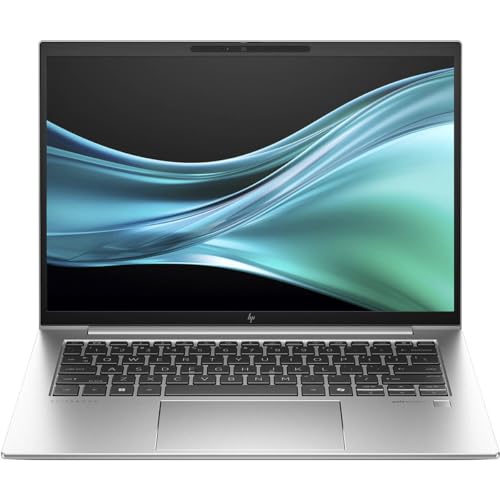
- Processor Manufacturer: Intel
- Processor Type: Core Ultra 7
- Processor Model: 155U
Pros
-
HP Wolf Security and enterprise tools
-
Comfortable keyboard; sharp 5MP-class webcam
-
vPro-capable Intel Core Ultra options
-
Documented service procedures
Cons
-
Not the absolute lightest in class
-
Fan noise can rise under heavy loads
Social proof
See reviews on Amazon.
Trade-offs / Who should skip
Frequent flyers who want the lightest chassis may prefer the X1 Carbon; if you need AMD Pro, look at the EliteBook 845 G11.
Scores: Performance 4/5 · Battery life 4/5 · Ease of Use 4/5 · Value 4/5
Dell Latitude 7450 — Best for manageability & docking in Dell fleets
Latitude remains a safe IT default with wide vPro/ProSupport options and excellent docks.
Why it wins: enterprise manageability, strong admin tooling, and a durable chassis.
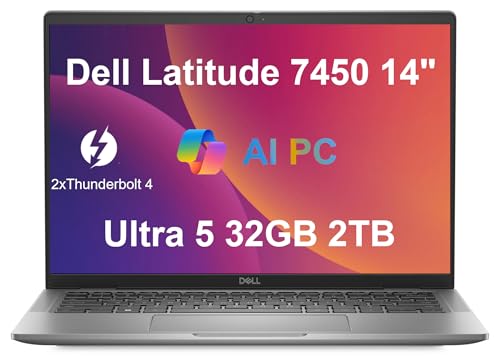
- PORTABLE DESIGN - Dell latitude 7450 is a versatile laptop designed for daily basic tasks, education, and entertainment. With a long-lasting battery life of up to 13 hours (35% longer than Latitude 5450 and 5550), fast charging, and a lightweight design at just 2.92 pounds, it’s perfect for on-the-go productivity and fun. It also meets MIL-STD 810H military durability standards.
- POWERFUL PERFORMANCE - Powered by an Intel Core Ultra 5 135U Processor with 12-cores for superior efficiency and speed, 32GB LPDDR5x 6400Hz RAM for seamless multitasking, and 2TB PCIe NVMe M.2 SSD for fast storage and reduced load times, ensuring smooth and responsive performance for all your tasks.
- EXCELLENT VISUAL - Features a 14" WUXGA (1920 x 1200) IPS Anti-Glare display with Intel graphics delivers crisp visuals, supported by the ability to connect 3 external monitors via HDMI and Thunderbolt 4 ports at 4K (3840x2160) @60Hz. 1080p FHD HDR RGB with Privacy Shutter camera ensures crisp video calls with enhanced clarity.
Pros
-
vPro configurations for remote management
-
Comfortable keyboard; reliable build
-
Works seamlessly with Dell docks/monitors
-
Plenty of USB-C/Thunderbolt connectivity
Cons
-
Integrated graphics are office-focused
-
Weight is average, not ultralight
Social proof
See reviews on Amazon.
Trade-offs / Who should skip
If you travel constantly and want sub-2.5 lb weight, pick the X1 Carbon; macOS teams should look at the MacBook Pro below.
Scores: Performance 4/5 · Battery life 4/5 · Ease of Use 4/5 · Value 4/5
Apple MacBook Pro 14-inch (M5, 2025) — Best for macOS professionals
If your business runs on macOS, the latest 14-inch MBP brings top-tier performance and battery life.
Why it wins: the M5 chip boosts speed and on-device AI while keeping the stellar XDR display and long runtimes.
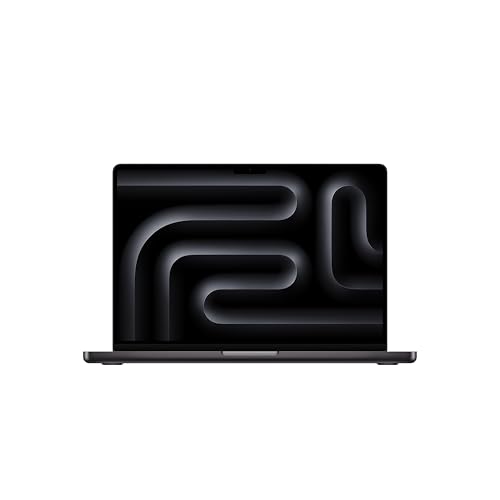
- SUPERCHARGED BY M5 — The 14-inch MacBook Pro with M5 brings next-generation speed and powerful on-device AI to personal, professional, and creative tasks. Featuring all-day battery life and a breathtaking Liquid Retina XDR display with up to 1600 nits peak brightness, it’s pro in every way.*
- HAPPILY EVER FASTER — Along with its faster CPU and unified memory, M5 features a more powerful GPU with a Neural Accelerator built into each core, delivering faster AI performance. So you can blaze through demanding workloads at mind-bending speeds.
- BUILT FOR APPLE INTELLIGENCE — Apple Intelligence is the personal intelligence system that helps you write, express yourself, and get things done effortlessly. With groundbreaking privacy protections, it gives you peace of mind that no one else can access your data — not even Apple.*

Pros
-
Excellent CPU/GPU performance with M5
-
Long battery life; silent under load
-
Superb Mini-LED (XDR) display
-
Best-in-class trackpad and build quality
Cons
-
Not ideal if your stack is Windows-only
-
Limited user-upgradeability; spec it right
Social proof
See reviews on Amazon.
Trade-offs / Who should skip
If you rely on legacy Windows apps or specialty peripherals, choose our Dell/HP/Lenovo picks.
Scores: Performance 5/5 · Battery life 5/5 · Ease of Use 4/5 · Value 4/5
Microsoft Surface Laptop for Business (Copilot+ PC) — Best battery life & quiet operation
The Snapdragon X-based model is built for long runtimes and cool, quiet performance.
Why it wins: efficient Arm silicon with excellent battery life and Windows AI features in a premium chassis.
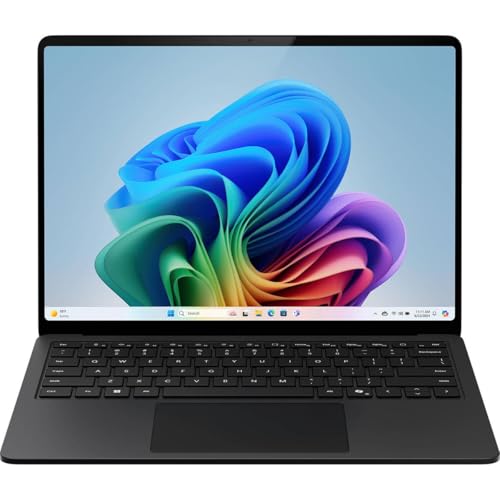
- IMPRESSIVE, RELIABLE POWER: Built with the latest Intel Core Ultra Processors (Series 2), enjoy powerful performance, reliable power, and AI capabilities
- All-DAY PRODUCTIVITY: Power through up to 22 hours of battery life[1]
- MORE POWERFUL AI PROCESSING: The Intel AI Boost NPU features up to 48 TOPS[10], designed to accelerate AI Experience
Pros
-
Long battery life for all-day meetings
-
Quiet, cool operation
-
High-quality webcam and sharp display
-
Ships with Windows 11 Pro (Business SKU)
Cons
-
Best with native/ARM-optimized apps
-
Validate legacy x86 software first
Social proof
See reviews on Amazon.
Trade-offs / Who should skip
If your org leans on older Windows drivers/apps, validate first or pick an Intel-based Latitude/EliteBook/ThinkPad.
Scores: Performance 4/5 · Battery life 5/5 · Ease of Use 4/5 · Value 4/5
Quick compare
-
ThinkPad X1 Carbon Gen 12 — Best for travelers: ultralight, proven business build; less user-upgradeable RAM.
-
HP EliteBook 840 G11 — Best IT standard: secure, well-documented platform; not the lightest.
-
Dell Latitude 7450 — Best manageability: vPro/docking ecosystem; average weight.
-
MacBook Pro 14 (M5) — Best macOS: top performance/battery; macOS-only software stack.
-
Surface Laptop for Business — Best battery/quiet: excellent efficiency; check app compatibility.
Buying guide
-
Durability & serviceability: Look for MIL-STD-810H language on the maker sheet; it signals useful environmental testing. If you want easier repairability, prioritize platforms with documented service manuals and accessible screws/bays.
-
Manageability & security: Intel vPro (or AMD Pro) helps with remote management, while vendor suites (HP Wolf, Dell/Lenovo tools) streamline fleet deployment. Solo buyers don’t need vPro but benefit from TPM, biometric login, and webcam privacy shutters.
-
Battery life: Display choice matters. Low-power IPS panels often outlast high-res OLED/Mini-LED options. If battery and fan noise are top priorities, consider the Surface Laptop (Copilot+) or MacBook Pro 14.
-
Ports & docks: If you rely on docking, prioritize USB-C/Thunderbolt and proven dock compatibility. Latitude, ThinkPad T/X1, and EliteBook lines typically play well with modern docks.
-
Warranty/support: Business lines usually start with 1-year base coverage, upgradable to onsite/accidental-damage. If uptime is critical, budget for next-business-day onsite and keep spares or cross-ship options.
FAQs
Q: Do I need vPro?
A: If your IT team does remote provisioning/patching at scale, yes—pick vPro-capable CPUs/configs. For solo buyers, it’s nice but not mandatory.
Q: Is MIL-STD-810H “rugged”?
A: It means the laptop passed a set of environmental tests. It’s a good durability signal for travelers, but it’s not a guarantee of indestructibility.
Q: Apple or Windows for business?
A: MacBook Pro 14 excels in battery, build, and creative apps. Windows machines win for legacy compatibility, docking variety, and broad enterprise management.
As an Amazon Associate, I earn from qualifying purchases.