
Best Gaming Monitors for Xbox Series X (4K & 120Hz)
As an Amazon Associate I earn from qualifying purchases. Some links may earn us a commission at no extra cost to you.
For Xbox Series X, the big things that actually matter are 4K at up to 120Hz over HDMI 2.1, low input lag, solid HDR, and a size that fits your desk or bedroom. Series X supports 4K120, VRR, and ALLM over HDMI 2.1, so if your monitor has the right ports and firmware, you can fully unlock the console.
Top picks
LG 27GR93U-B — Best for most Xbox Series X players (desk setups)
A 27-inch 4K 144Hz IPS monitor that nails the basics for Series X in a manageable desk size.
Why it wins: Great console performance with HDMI 2.1 and low input lag without going overboard on size or price-tier.

- 4K UHD at Up To 144Hz from HDMI 2.1 - From the 27GR93U’s HDMI 2.1 connection, game at up to 4K UHD resolution with a ultra-smooth, 144Hz refresh rate on PC games and get up to a 120Hz refresh rate support on next gen gaming consoles.
- IPS 1ms (GtG) - Re-imagine every scene with vivid, responsive IPS. At 27“, LG's UltraGear IPS Display features vibrant color, contrast, clarity and detail, while delivering ultra-fast 1ms (GtG) response rates.
- NVIDIA G-SYNC Compatible - Officially validated by NVIDIA as G-SYNC Compatible. That translates to faster, smoother gaming that's been tested to reduce screen tearing and stutter. Never miss a frame of the action as you clinch your victories.
Pros
-
4K 144Hz with HDMI 2.1 for 4K120 on Series X
-
Very low input lag; motion is sharp at 120Hz
-
Bright SDR image that handles glare well
-
27″ size keeps text sharp and fits most desks
Cons
-
Blacks look gray in dark rooms; IPS contrast only
-
HDR brightness and impact are just “okay”
-
No swivel; stand adjustments are a bit limited
Social proof
RTINGS and other lab testers rate it as “great for console gaming,” noting full Xbox Series X support via HDMI 2.1, low input lag, and fast response times, while calling out limited contrast and basic HDR. See reviews on Amazon for more day-to-day impressions.
Trade-offs / Who should skip
Skip this if you play mostly in a pitch-dark room and care a lot about deep blacks and punchy HDR—an OLED or a brighter mini-LED display will look more dramatic. Also, if you sit farther back (sofa distance), 27″ may feel small; one of the 32″ options below will be better.
Scores: Performance 4.5/5 · Console features 4.5/5 · Ease of Use 4.0/5 · Value 4.5/5
Acer Nitro XV282K KVbmiipruzx — Best for competitive console players
A 28″ 4K 144Hz HDMI 2.1 monitor that explicitly targets PS5 and Xbox Series X with full 4K120 and VRR support over HDMI.
Why it wins: Clear manufacturer support for 4K120 + VRR on Series X, plus fast response times, makes this an easy pick if you care about responsiveness above everything else.
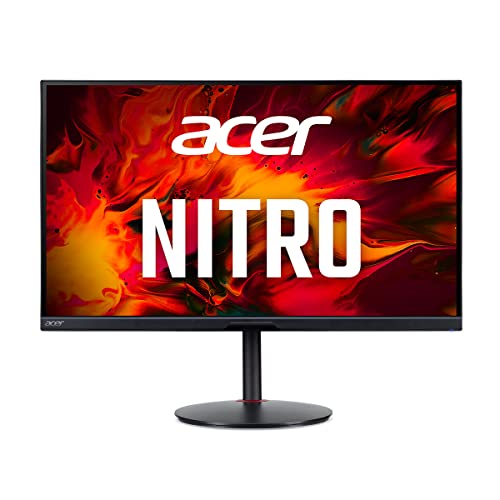
- 28.0" UHD (3840 x 2160) Widescreen Agile-Splendor IPS Gaming Monitor with AMD FreeSync Premium Technology
- High Brightness and Contrast with VESA Certified DisplayHDR 400 | Color Gamut: 90% DCI-P3 | Color Accuracy: No color difference with Delta E<1
- Refresh Rate: 144Hz | Response Time: 1ms (G to G) | Pixel Pitch: 0.16mm
Pros
-
HDMI 2.1 with explicit 4K120 + VRR for Series X
-
Fast 144Hz panel with 1ms response spec
-
DisplayHDR 400 with wide color coverage
-
USB-C with power delivery for laptops
Cons
-
HDR is decent but not super bright or “wow”
-
28″ still feels like a “monitor,” not a mini-TV
-
IPS contrast means blacks are only average
Social proof
Acer’s own specs call out HDMI 2.1 with 4K120 and VRR specifically for Xbox Series X, and reviewers generally praise its low input lag and strong motion handling while noting that HDR is fine but not amazing. See reviews on Amazon for console-focused experiences.
Trade-offs / Who should skip
If you want big-screen immersion, this isn’t it—28″ is mainly for close desk play. Also, if you’re chasing the absolute best HDR with deep blacks, a mini-LED or OLED panel will be more impressive than this IPS.
Scores: Performance 4.7/5 · Console features 5.0/5 · Ease of Use 4.0/5 · Value 4.3/5
Samsung Odyssey G70B (S28BG70) — Best for bedroom setups & smart-TV features
A 28″ 4K 144Hz IPS gaming monitor with HDMI 2.1, Samsung’s Smart Hub apps, and a remote—so it doubles as a compact smart TV for your Xbox.
Why it wins: If you want an all-in-one “small TV” + monitor with 4K120, VRR, and built-in streaming apps, this is the sweet spot.

- UHD RESOLUTION & IPS PANEL: Packing in 4x the pixel density of FHD, see games like never before; IPS panel delivers clear colors and a wide 178° viewing angle for clarity from any viewpoint.Specific uses for product - Gaming
- DISPLAYHDR 400: Reveal the whole picture; DisplayHDR 400 delivers more contrast, with deeper blacks and brighter whites to help you uncover enemies or secrets lurking in the shadows; Even in dark scenes, every detail shines with clarity
- G-SYNC & FREESYNC PREMIUM PRO: G-Sync compatibility keeps the GPU and panel synced up to eliminate choppiness, screen-lag, and image tears; Fast-action, complex game scenes are stable and stutter-free with AMD FreeSync Premium Pro
Pros
-
HDMI 2.1 with 4K120 + VRR for consoles
-
Smart Hub with Netflix, Disney+, Game Hub streaming
-
4K 144Hz IPS with VRR support
-
Included remote makes couch use easy
Cons
-
HDR400; brightness and local dimming are limited
-
Built-in speakers are usable, but not amazing
-
Smart-TV UI adds complexity if you only want a monitor
Social proof
PCMonitors and other reviewers highlight its HDMI 2.1 ports, 4K 144Hz panel, and Smart Hub features, explicitly noting 4K120 + VRR support for Xbox Series X and PS5. User reviews typically love the versatility and remote control, while being lukewarm on the basic HDR.
Trade-offs / Who should skip
If you don’t care about smart apps or a remote and will only ever use this on a desk, you may get better pure value from a simpler gaming monitor like the LG or Acer picks. Also, if you’re super picky about HDR, the modest peak brightness and basic local dimming may disappoint.
Scores: Performance 4.4/5 · Console features 4.7/5 · Ease of Use 4.2/5 · Value 4.0/5
BenQ MOBIUZ EX3210U — Best for immersive single-player and great audio
A 32″ 4K 144Hz IPS monitor with two HDMI 2.1 ports, stronger HDR (DisplayHDR 600), and surprisingly good 2.1 speakers with a subwoofer—excellent if you don’t want separate speakers.
Why it wins: Bigger 32″ screen, much better HDR than basic HDR400 panels, and real built-in audio make this perfect for story games and all-around entertainment.

- Level Up the Game: 32 Inch UHD 4K IPS gaming monitor features Freesync Premium Pro and color optimizer settings.
- Experience Smooth Gameplay: Catch all the small details with a 1ms MPRT response rate and 144Hz refresh rate.
- Built-In Noise Cancellation Microphone: Reduce the background noise with one-click and shift the focus to what's important. Note: the microphone only works on laptops and other external PCs when connected via USB-C.
Pros
-
32″ 4K 144Hz IPS with HDMI 2.1 (x2)
-
HDR10 + DisplayHDR 600; brighter HDR highlights
-
2.1 speakers with subwoofer and noise-cancel mic
-
Console-friendly presets and remote control
Cons
-
Large stand footprint; needs a decent-size desk
-
Still IPS contrast; blacks not OLED-deep
-
HDR is strong but not mini-LED/OLED level
Social proof
BenQ markets this specifically as a 32″ 4K 144Hz console-friendly monitor with HDMI 2.1 and upgraded audio, and it frequently appears in “best monitor for Xbox Series X” lists as a top 4K pick. See reviews on Amazon for more real-world Series X impressions.
Trade-offs / Who should skip
If you sit very close, 32″ can feel huge; you may prefer 27–28″. And if you already own a good sound system, you might value other features (like KVM or USB-C) more than the built-in speakers.
Scores: Performance 4.6/5 · Console features 4.6/5 · Ease of Use 4.7/5 · Value 4.1/5
GIGABYTE M32U — Best 32″ 4K for PC + Xbox on one desk
A 32″ 4K 144Hz IPS monitor with two HDMI 2.1 ports, a KVM switch, and excellent console performance—great if you want one screen for your Series X and your PC/laptop.
Why it wins: Strong console-gaming scores plus a built-in KVM for swapping keyboards/mice between PC and Xbox or work laptop make it an all-rounder.

- 31.5" SS IPS 3840 x 2160 4K Display Gaming Monitor.Brightness 350 cd/m2 (TYP).Contrast Ratio : 1000:1, Voltage : AC 100V~240V /50~60Hz.
- Viewing Angle (L/R) (CR>=10) is 178°/178°
- 144Hz Refresh Rate, 1ms (GTG) Response Time, Supports Adaptive Sync Technology
Pros
-
32″ 4K 144Hz IPS with HDMI 2.1 (x2)
-
Very low input lag; great 4K120 console performance
-
Built-in KVM and USB hub for multi-device setups
-
DisplayHDR 400 with wide color gamut
Cons
-
HDR is only moderate; highlights don’t “pop” a ton
-
IPS contrast means grayish blacks in dark rooms
-
Built-in speakers are basic; external audio recommended
Social proof
RTINGS and PCMonitors both rate the M32U as very good for console gaming, specifically calling out HDMI 2.1, 4K120 support for Series X/PS5, and low input lag, while noting that HDR and contrast are only average. See reviews on Amazon for more Series X user feedback.
Trade-offs / Who should skip
If you don’t need a KVM or PC use, you may prefer something that spends more of the budget on HDR (like the BenQ EX3210U). And if you mostly game in a dark, cinema-style room, a panel with better contrast might be worth it.
Scores: Performance 4.6/5 · Console features 4.8/5 · Ease of Use 4.3/5 · Value 4.4/5
Quick compare
-
LG 27GR93U-B — Best for most players:
27″ 4K 144Hz, HDMI 2.1, low input lag; HDR and dark-room contrast are just okay. -
Acer Nitro XV282K KV — Best for competitive console play:
28″ 4K 144Hz with clearly documented 4K120 + VRR over HDMI 2.1; smaller screen, mid-range HDR. -
Samsung Odyssey G70B — Best for bedroom / smart-TV use:
28″ 4K 144Hz with Smart Hub apps and remote; HDR400 and basic speakers are the main compromise. -
BenQ MOBIUZ EX3210U — Best for immersion and audio:
32″ 4K 144Hz, HDMI 2.1 x2, HDR600, strong 2.1 speakers; big and more expensive, still IPS. -
GIGABYTE M32U — Best for PC + Xbox on one screen:
32″ 4K 144Hz with HDMI 2.1, KVM, and great console support; HDR and contrast are only mid-pack.
Buying guide: how to pick the right Series X monitor
1. Resolution & size (4K vs 1440p, 27″ vs 32″)
-
Xbox Series X is built for 4K gaming up to 120 FPS over HDMI 2.1, so a 4K monitor makes sense if you want maximum sharpness.
-
27–28″ at 4K is super crisp at a typical desk distance; text and UI look very sharp.
-
32″ at 4K feels more like a small TV—great if you sit a bit farther back or want more immersion, but it needs more desk depth.
Rule of thumb:
-
Mainly at a desk, roughly arm’s length → 27–28″.
-
Slightly farther back or semi-sofa setup → 32″.
2. HDMI 2.1 & 120Hz
To actually get 4K at 120Hz on Series X, you need:
-
A monitor with HDMI 2.1 bandwidth on at least one port.
-
Xbox configured to 4K/120 in Settings, using a certified Ultra High Speed HDMI cable (Series X includes one).
All five picks here have HDMI 2.1 and support 4K120 from the console.
3. VRR, ALLM, and input lag
-
VRR (Variable Refresh Rate) helps smooth out frame-rate dips and reduce tearing—Series X supports it, and all these monitors support FreeSync-class VRR over HDMI.
-
ALLM (Auto Low Latency Mode) automatically puts your display in a low-lag mode when the console is active.
-
Lab reviews show very low input lag on the LG 27GR93U-B and Gigabyte M32U in particular—good news if you play shooters or competitive games.
What to prioritize:
If you sweat responsiveness, lean towards the Acer XV282K, LG 27GR93U-B, or Gigabyte M32U, which test especially well on input lag and motion.
4. HDR: how “good” does it need to be?
Most gaming monitors advertise HDR, but performance varies a lot:
-
Basic HDR (DisplayHDR 400) like on the Acer XV282K and Gigabyte M32U = OK bump in brightness and color, but highlights don’t really explode off the screen and blacks stay grayish.
-
Stronger HDR (DisplayHDR 600 + some local dimming) like on the BenQ EX3210U can hit higher peak brightness and make HDR games look punchier, even though it’s still not OLED-level.
If HDR wow-factor matters to you, the BenQ EX3210U is the best match in this list; if you mostly care about smooth high-FPS gameplay, the others are totally fine.
5. Audio & extras
-
Built-in speakers:
-
BenQ EX3210U has legitimately good 2.1 speakers with a small subwoofer, often praised as “actually usable.”
-
Others have basic speakers at best; pair them with a headset or soundbar for better sound.
-
-
Smart features:
-
Samsung G70B doubles as a mini smart TV, with streaming apps and a remote—great if you don’t have another TV in the room.
-
-
KVM / USB-C:
-
If you want one screen for a laptop and Series X, the Acer’s USB-C and the Gigabyte M32U’s KVM are super handy.
-
FAQs
Q: Do I need HDMI 2.1 for Xbox Series X?
A: You need HDMI 2.1 if you want 4K at 120Hz with VRR and ALLM. Series X can still output 4K60 and 1440p120 over HDMI 2.0, but you’ll be giving up either refresh rate or resolution compared to what the console can do. All the monitors in this guide include HDMI 2.1, so you’re covered.
Q: Is 4K better than 1440p for Series X?
A: For Series X, 4K is the main target resolution, and these monitors are 4K so games and the dashboard look very sharp. 1440p can be a good performance-focused choice on PC, but for console players who sit a bit back from the screen, 4K usually looks nicer and is fully supported.
Q: Do these monitors support Dolby Vision for gaming?
A: Xbox Series X supports Dolby Vision in some games and apps, but most PC-style monitors only support HDR10, not Dolby Vision. All the picks here are HDR10-capable; you’ll still get HDR, just not the Dolby Vision flavor you see on some TVs.
Q: What size monitor is best for my Xbox if I’m at a desk?
A: Rough guide:
-
24–28″ if you sit very close (arm’s length) and want a more “esports” feel.
-
27–28″ 4K (LG 27GR93U-B, Acer XV282K, Samsung G70B) is the sweet spot for most people.
-
32″ 4K (BenQ EX3210U, Gigabyte M32U) if you sit a bit farther back, want a more TV-like experience, or share the screen with friends.
As an Amazon Associate, I earn from qualifying purchases.