
Best Gaming Monitors for Xbox Series X (4K & 120Hz)
As an Amazon Associate, I earn from qualifying purchases. Some links may earn us a commission at no extra cost to you.
The best Xbox Series X monitors combine native 4K resolution, HDMI 2.1 connectivity, variable refresh rate, and support for 120Hz console gaming. A 27-inch display works well at a close desk distance, while a 32-inch screen feels more immersive for racing, sports, and story-driven games. The monitors below all offer refresh rates beyond the Xbox Series X’s 120Hz limit, which can also benefit buyers who connect a gaming PC.
Top Picks
1. KTC 27-Inch Dual-Mode Mini-LED Monitor — Best Overall
The KTC dual-mode Mini-LED monitor combines a 27-inch 4K Fast IPS panel with a maximum 160Hz refresh rate and HDMI 2.1 connectivity. Its Mini-LED backlight and stated HDR1400 capability give it greater HDR potential than basic HDR400 monitors.
It can also switch to a 1080p mode at up to 320Hz for compatible PC gaming. Xbox players will primarily use its 4K mode at up to 120Hz.
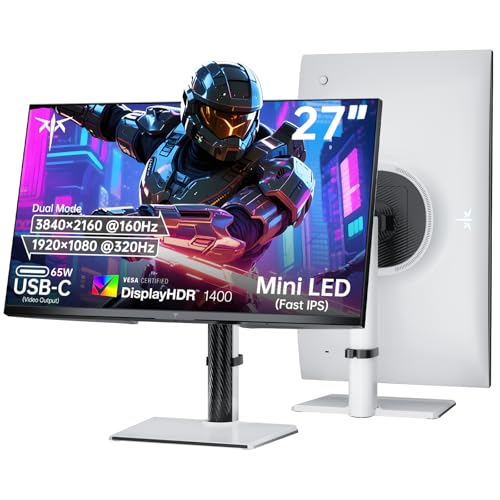
- Dual Mode Monitor: 160Hz 4K Gaming Monitor or 320Hz 1080P Monitor for your choice. Switch the mode to suit your needs best and enjoy ultra-sharp 4K resolution at 160Hz for immersive details or Full HD at 320Hz for ultra-fast smooth gameplay. Ideal for FPS players, console users, or professional gamers.
- Stunning Visual Effects with KTC Monitor: The stunning Fast IPS panel is equipped with the most advanced Mini LED backlight technology and 1152 independent dimming zones, providing precise control over image display and presenting exquisite details, fascinating light and shadow effects
- HDR1400 for Lifelike Moments: This 27 inch mini LED monitor features impressive 145%sRGB color gamut, 1.07 billion colors and VESA Display HDR 1400, bringing the gaming characters to life, creating stunning images with rich details and diverse contrast, immersing you in realistic atmosphere
Pros
- Native 4K panel with HDMI 2.1
- Mini-LED backlighting
- Strong stated HDR capability
- Adaptive-sync support
- Height-adjustable stand
Cons
- Xbox cannot use the 320Hz PC mode
- Mini-LED blooming may appear around bright objects
Who should buy it: Xbox players who want the strongest HDR-focused option in this lineup.
2. KTC H27P6 — Best for Xbox, PC, and Laptop Use
The KTC H27P6 is a 27-inch dual-mode Fast IPS monitor that runs at up to 160Hz in 4K or 320Hz in Full HD. HDMI 2.1 supports high-bandwidth console signals, while USB-C with up to 90-watt power delivery makes the monitor useful with a compatible laptop.
A built-in KVM switch also helps users share a keyboard and mouse between two connected computers.
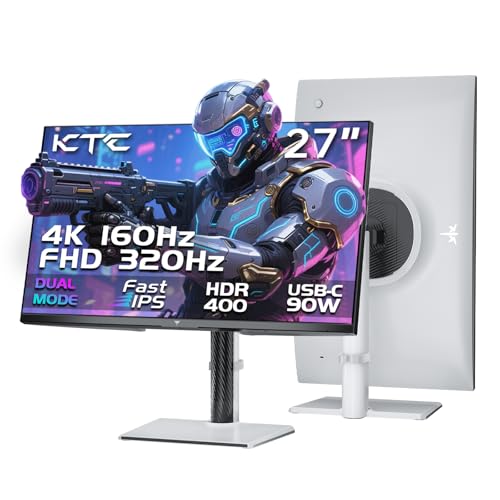
- 【KTC Dual-Mode Monitor】4K 160Hz or 1080P 320Hz. This advanced 27-inch gaming monitor supports dual-mode switching. Enjoy the ultra-crisp 160Hz UHD resolution for exceptional visual quality, or switch to 320Hz FHD for ultra-fast competitive gaming.
- 【Adaptive-Sync Technology】 Adaptive-Sync eliminates screen tearing and stuttering for a responsive gaming experience. 1ms (MPRT) response time delivers smooth motion in fast-paced games and videos.
- 【Professional Colors】 Factory-calibrated with ΔE<2 for 97% DCI-P3 and 99% sRGB coverage, ensuring color accuracy for lifelike visuals. HDR400 delivers richer shadows and more vibrant colors for an immersive gaming and cinematic experience.

Pros
- 4K at up to 160Hz
- HDMI 2.1 connectivity
- USB-C with power delivery
- Built-in KVM support
- Adjustable ergonomic stand
Cons
- HDR400 offers limited HDR contrast
- KVM features add setup complexity
Who should buy it: Players who share one desk between an Xbox, gaming PC, and work laptop.
3. CRUA 27-Inch 4K 160Hz Monitor — Best Value 27-Inch Pick
This CRUA monitor provides a 27-inch 4K IPS panel, a refresh rate of up to 160Hz, HDMI 2.1, adaptive sync, and an adjustable stand. It offers the main specifications needed for Xbox Series X gaming without emphasizing expensive premium backlighting.
Its compact size and high pixel density make it especially suitable for a normal desk setup.
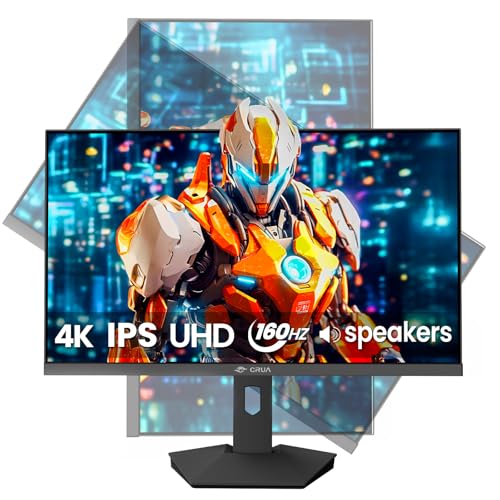
- [4K UHD 160Hz Gaming Monitor] Enjoy stunning 4K resolution at 160Hz on a 27” IPS computer monitor. Experience ultra-sharp details, vibrant colors, and fluid gameplay, perfect for FPS, esports, console gaming, and immersive movie or content creation sessions—you’ll never miss a moment.
- [Fluid, Tear-Free Gaming] AMD FreeSync synchronizes the refresh rate to reduce stutter and screen tearing. Experience smooth motion and responsive gameplay for action-packed games, racing, or strategy titles without visual distractions.
- [Vivid and Accurate Colors] This 4K monitor features 120% sRGB, 16.7 million colors, 350 cd/m² brightness, 2000:1 contrast ratio, and 178° wide viewing angles for rich, lifelike visuals.Deep blacks and bright highlights reveal every detail clearly. Enjoy stunning clarity in games, movies, and creative projects from any position.
Pros
- Native 4K IPS panel
- HDMI 2.1 and up to 160Hz
- AMD FreeSync support
- Height, swivel, pivot, and tilt adjustment
- Built-in speakers
Cons
- Built-in audio is unlikely to replace good speakers
- Standard IPS contrast is modest in dark rooms
Who should buy it: Desk-based Xbox players seeking the essential 4K/120Hz features in a compact format.
4. Gawfolk 32-Inch 4K Curved Monitor — Best Value 32-Inch Pick
The Gawfolk monitor uses a 32-inch 4K curved panel with a stated refresh rate of up to 160Hz. HDMI 2.1, adaptive sync, a 1ms quoted response mode, and built-in speakers make it a practical large-screen option for console gaming.
Its 1500R curve is most noticeable when sitting close to the screen and can make racing and first-person games feel more immersive.
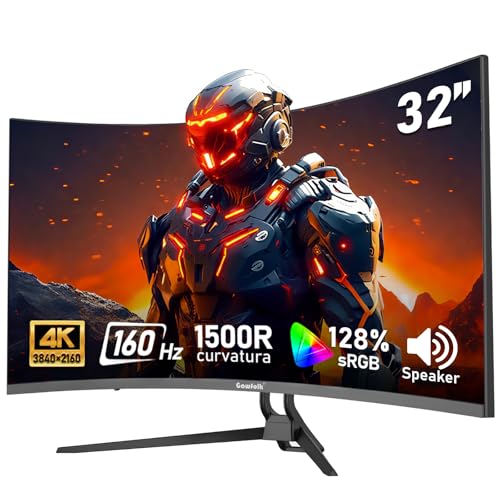
- 【Exceptional Image Display】32-inch curved gaming monitor with 4K ultra-high-definition resolution (3840×2160p) and 128% sRGB wide colour gamut. Equipped with native 8Bit, capable of displaying 16.7 million colours, providing smooth and natural colour transitions. Brightness of 270 cd/m², combined with 3000:1 high contrast, delivers clear, vivid, and lifelike images.
- 【160Hz Refresh Rate】This gaming monitor delivers ultra-smooth performance with a native 160Hz refresh rate and 1ms GTG response time, eliminating motion blur and providing the perfect competitive gaming experience.The default refresh rate is 60Hz. If your computer supports 160Hz, please use an HDMI 2.1 cable or DP cable to connect the monitor and change the refresh rate in the display settings.
- 【Adaptive Sync Technology】Minimises input lag while gaming and watching videos, and reduces or completely eliminates blur and screen tearing.
Pros
- Large 32-inch 4K display
- HDMI 2.1 connectivity
- Up to 160Hz refresh rate
- Adaptive-sync support
- Built-in speakers
Cons
- Curved screen may not suit productivity work
- Tilt-focused stand offers limited adjustment
Who should buy it: Players who want an affordable, larger display for immersive Xbox gaming.
5. CRUA 32-Inch 4K 240Hz Curved Monitor — Best for Xbox and High-End PC Gaming
The 32-inch CRUA combines a 4K curved VA panel with a stated maximum refresh rate of 240Hz. Xbox Series X will use up to 120Hz, but the extra refresh capacity can benefit a powerful gaming PC.
Its VA panel should provide stronger native contrast than a standard IPS display, helping dark game scenes look deeper in a dim room.
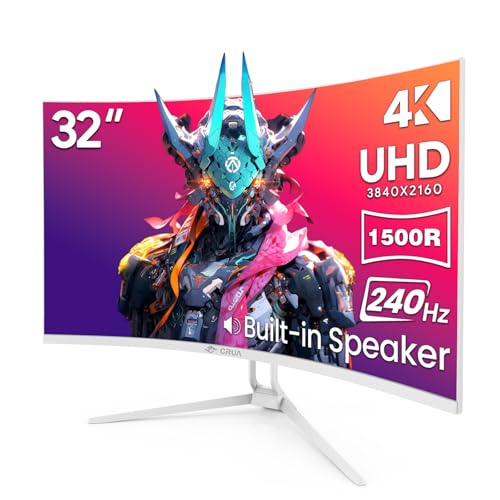
- 4K Space for Work and Play: This 32-inch 4K UHD curved monitor with 3840×2160 resolution gives you sharper text, clearer details, and more usable screen space for gaming, spreadsheets, multitasking, streaming, and content creation. A great fit for gamers, remote workers, creators, students, and home office users who want a larger, more immersive display
- 240Hz Gaming Monitor: With an ultra-fast 240Hz refresh rate and AMD FreeSync, this monitor helps reduce screen tearing, stutter, and motion blur for smoother gameplay and more responsive control. Ideal for competitive gamers, streamers, and PC users who play FPS, racing, esports, and other fast-paced games
- Rich Color for Entertainment and Creative Use: Featuring 1.07 billion colors (8-bit + FRC), 120% sRGB, 300 cd/m² brightness, and a 3000:1 contrast ratio, this white monitor delivers vivid color, deeper blacks, and strong image detail. Perfect for movie lovers, streamers, casual creators, video editors, and users who want richer visuals for gaming and media viewing
Pros
- 32-inch 4K curved panel
- HDMI 2.1 connectivity
- Up to 240Hz for PC gaming
- AMD FreeSync support
- Stronger contrast potential than IPS
Cons
- Xbox is limited to 120Hz
- White chassis may not match every setup
Who should buy it: Players who want one large monitor for Xbox Series X and a high-refresh gaming PC.
6. ZZA 32-Inch 4K Curved Monitor — Best 32-Inch Alternative
The ZZA monitor pairs a 32-inch 4K VA display with a 1500R curve, a refresh rate of up to 160Hz, HDMI 2.1, and adaptive-sync support. It is another large-screen option for players who prefer stronger contrast and a curved image over the wider viewing angles of an IPS panel.
The 32-inch size also makes menus and interface elements easier to read when sitting slightly farther from the desk.
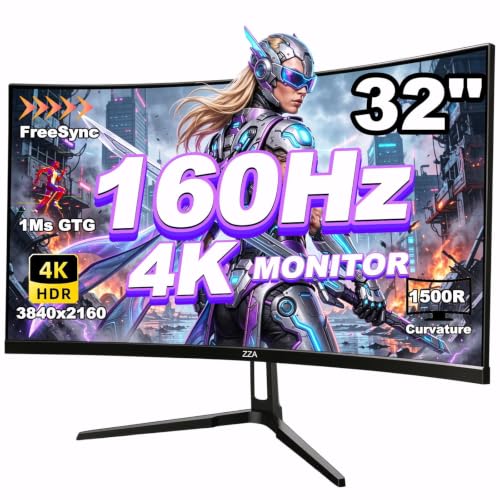
- 32-inch 4K Curved Display: Experience stunning clarity and immersion with this 32-inch 4K UHD curved monitor (3840x2160). The 1500R curved screen wraps naturally around your field of view, pulling you deeper into epic gaming worlds, cinematic films, and expansive multitasking workspaces.
- 160Hz Refresh Rate & AMD FreeSync: Command the battlefield with a blazing 160Hz refresh rate and AMD FreeSync technology. Designed for competitive FPS, MOBA, and racing titles, this monitor delivers flawlessly smooth visuals, minimal input lag, and a decisive edge for serious gaming and eSports.
- 120% sRGB Color Precision: Boasting 120% sRGB, 330cd/m² brightness, and a 3000:1 contrast ratio, this monitor delivers exceptionally rich, vibrant hues—an ideal solution for color-critical photo editing, professional content creation, and immersive media consumption, perfectly suited for modern minimalist workspaces and efficient home offices.
Pros
- 32-inch native 4K display
- HDMI 2.1 and up to 160Hz
- Curved VA panel
- Adaptive-sync support
- VESA mounting compatibility
Cons
- Limited brand support history
- VA motion performance can vary by overdrive setting
Who should buy it: Players seeking a curved 32-inch 4K monitor for a desk or compact entertainment area.
Quick Comparison
- Best overall: KTC Dual-Mode Mini-LED
- Best for multiple devices: KTC H27P6
- Best value 27-inch option: CRUA 27-Inch 4K
- Best value 32-inch option: Gawfolk 32-Inch 4K
- Best for Xbox and PC: CRUA 32-Inch 240Hz
- Best 32-inch alternative: ZZA 32-Inch 4K
Buying Guide
Confirm HDMI 2.1 Support
Use an HDMI 2.1 input and an Ultra High Speed HDMI cable to enable 4K at 120Hz. After connecting the console, check that 4K, 120Hz, and variable refresh rate are enabled in the Xbox display settings.
Choose the Right Screen Size
A 27-inch screen is sharper and easier to view from a close desk position. A 32-inch monitor feels more immersive but needs additional viewing distance and desk space.
Do Not Buy 240Hz Solely for Xbox
Xbox Series X supports refresh rates up to 120Hz. A 160Hz, 240Hz, or 320Hz specification mainly benefits a gaming PC connected to the same display.
Compare HDR Carefully
Mini-LED local dimming can produce more impactful HDR than a basic edge-lit HDR400 screen. Panel contrast, peak brightness, and local dimming matter more than an HDR logo by itself.
Frequently Asked Questions
Can Xbox Series X use a 160Hz or 240Hz monitor?
Yes, but the console outputs a maximum of 120Hz. The monitor will operate at 120Hz when the selected resolution, HDMI connection, and game support it.
Is 27 or 32 inches better for Xbox?
Choose 27 inches for close desk gaming and maximum pixel density. Choose 32 inches for a more immersive image or when sitting farther from the monitor.
Is Mini-LED better than a standard IPS monitor?
Mini-LED can provide higher brightness and better local contrast. Standard IPS monitors are usually less expensive and still provide sharp 4K images and wide viewing angles.
Does Xbox support ultrawide monitors?
Xbox Series X does not provide native 21:9 or 32:9 output. Games normally appear at 16:9 with unused space or monitor-controlled scaling on an ultrawide display.
Final Verdict
The KTC 27-Inch Dual-Mode Mini-LED Monitor is the strongest overall choice because it combines HDMI 2.1, 4K high-refresh gaming, adaptive sync, and more capable HDR backlighting.
The KTC H27P6 is better for a combined Xbox, PC, and laptop workspace, while the CRUA 27-Inch 4K monitor is the best straightforward desk option.
For a larger screen, choose the Gawfolk 32-Inch monitor for value, the CRUA 32-Inch 240Hz model for Xbox and high-end PC gaming, or the ZZA 32-Inch monitor as another curved 4K alternative.
As an Amazon Associate, I earn from qualifying purchases.